خدمات شبکه فراز نتورک | پیشرو در ارائه خدمات دیتاسنتری و کلود
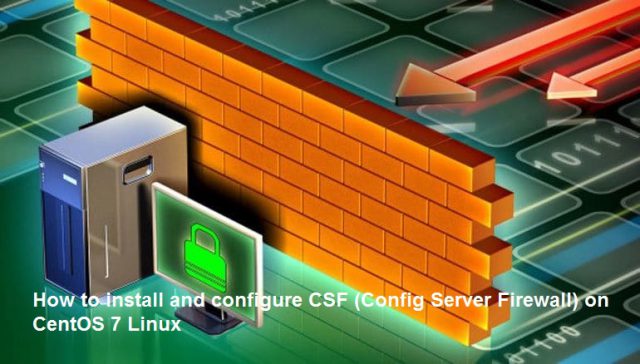
How to install and configure CSF (Config Server Firewall) on CentOS 7 Linux
The most important issue that we must have in our minds daily as IT administrators or frequent users is the way we protect the integrity and availability of stored files, how we protect the integrity of the services and roles of the server and how we prevent unauthorized access to teams in a world that is more and more online every day
One of the most practical solutions that we can implement in Linux environments, in this case we will use CentOS 7, is to implement firewall systems that give us the possibility of having a centralized control over the access and development of day-to-day development within the organization and today Solvetic will thoroughly analyze how to install and configure CSF in CentOS 7 to obtain a much higher level of security than usual
?What is CSF Firewall
ConfigServe Firewall, also known as CSF, is a firewall configuration script used to provide better security for servers while giving us an option to use easily. CSF configures server’s firewall to lock down public access to services and only allow certain connections, such as logging in to FTP, checking your email, or loading websites etc. Normally CSF firewall is commonly used in webhosting servers
CSF can be fully configured to block/restrict ports you don’t want open. CSF includes the Login Failure Daemon (LFD), which will scan log files and monitor failed login attempts, such as login attempts for FTP and E-Mail accounts, and it will block the IP according to the rules you have setup. CSF also offers Connection Limiting, Real Time Block Lists and Port Scan tracking and much more
: CSF can be easily managed from within its GUI, which is fully compatible with
DirectAdmin
CPanel
WebMin/Virtualmin
Installation of dependencies
Since CSF is based on perl, you will need to make sure that you have the right dependencies to ensure your installation is flawless
You need wget to download the CSF installer and vim (or an editor of your choice) for editing the CSF configuration file. Install the packages with the yum command
yum install wget perl-libwww-perl.noarch perl-Time-HiRes #
/Once the dependencies are downloaded and installed we will go to the / usr / src / directory by entering the following: cd /usr/src
Step 1
: Now we will install CSF by running the following line
cd /usr/src #
wget https://download.configserver.com/csf.tgz #
Step 2
: Once downloaded we will extract the content by executing the following
tar -xzf csf.tgz #
Step 3
:We access the csf directory
cd csf #
Step 4
: We will install the content by running the following
sh install.sh #
Step 5
In this way we have correctly installed CSF in CentOS 7. To verify that CSF really works properly in CentOS 7 we will execute the following commands
systemctl start csf #
systemctl stop csf #
perl /usr/local/csf/bin/csftest.pl #
: If all required iptables modules are installed you will receive such result
Testing ip_tables/iptable_filter…OK
Testing ipt_LOG…OK
Testing ipt_multiport/xt_multiport…OK
Testing ipt_REJECT…OK
Testing ipt_state/xt_state…OK
Testing ipt_limit/xt_limit…OK
Testing ipt_recent…OK
Testing xt_connlimit…OK
Testing ipt_owner/xt_owner…OK
Testing iptable_nat/ipt_REDIRECT…OK
Testing iptable_nat/ipt_DNAT…OK
RESULT: csf should function on this server
: After checking iptables modules we need to enable CSF. For this reason you may open and edit configuration file
vi /etc/csf/csf.conf #
: You need to change “TESTING” value to the zero
TESTING = “0”
: Save configuration file and execute the following command to restart CSF and reload new changes
csf -r
.This is it, now ConfigServer Security & Firewall is successfully installed to your server
جهت مشاهده دوره های آموزشی بر روی این لینک کلیک نمایید.
جدیدترین اخبار مجموعه فراز نتورک را در این صفحه اجتماعی دنبال کنید.