خدمات شبکه فراز نتورک | پیشرو در ارائه خدمات دیتاسنتری و کلود

HOW TO INSTALL DIRECTADMIN ON LINUX
DirectAdmin is a proprietary web-based control panel that offers system administrators a variety of features to easily manage manage websites using GUI. DirectAdmin was originally released in 2003 and at present is compatible with a variety of different operating systems such as CentOS, Debian and FreeBSD, although we believe that the DirectAdmin development team will reduce its OS compatibility going forward in order to aid the development of the panel
The modular setup of DirectAdmin gives a system administrator complete control over how to set up the server and what software to run. From choosing a web server based on Apache, Nginx, Apache & Nginx reserve proxy, LiteSpeed or OpenLiteSpeed to enabling PHP running mod_php, PHP-FPM, FastCGI or LSPHP, DirectAdmin puts you in control
Step 1: Install all necessary packages
yum install wget gcc gcc-c++ flex bison make bind bind-libs bind-utils openssl openssl-devel perl quota libaio libcom_err-devel libcurl-devel gd zlib-devel zip unzip libcap-devel cronie bzip2 cyrus-sasl-devel perl-ExtUtils-Embed autoconf automake libtool which patch mailx bzip2-devel lsof glibc-headers kernel-devel expat-devel psmisc net-tools systemd-devel libdb-devel perl-DBI perl-libwww-perl xfsprogs rsyslog logrotate crontabs file kernel-headers –y
Step 2: Start DirectAdmin installer
wget https://www.directadmin.com/setup.sh #
chmod 755 setup.sh #
setup.sh auto/. #
Step 3: Wait 20-30 minutes
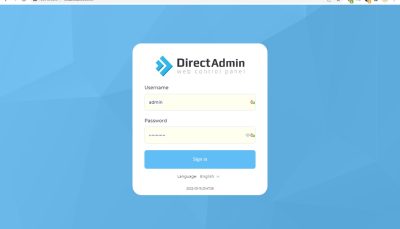
!When the DirectAdmin installer is finished, go to your server IP address followed by “:2222” in your browser and start
http://server.ip.address:2222
جهت مشاهده دوره های آموزشی بر روی این لینک کلیک نمایید.
جدیدترین اخبار مجموعه فرازنتورک را در این صفحه اجتماعی دنبال کنید.
HOW TO INSTALL DIRECTADMIN ON LINUX – نویسنده: موسی رشوند